

As an animator, you’ve decided to take your designs, layout, and drawings to the next level. You’re now looking for the best animation software that will allow you to create imaginary videos that will look spectacular. You want to tell those interesting and captivating stories in a unique way.
Be it for your YouTube videos to generate views and make money from them or for ad campaigns for your clients. For sure, there are a lot of animation tools competing for your attention.
The ability to identify one whose features, interface, tools, pricing, and integrations suits your requirement is demanding. But don’t worry, that’s what I’m here to help you out.
In this guide, I reviewed and ranked the 9 best animation software for 2021. The aim is to guide you towards making the best choice that will bring out the creativity in you.
Let’s get started.
What is an animation software?
Animation software is a program designed to allow you to create different motion designs, be it computer-generated or hand-drawn graphics.
The aim is to create interesting stories with the illusion of movement through the combination of drawn or painted pictures, music, and text. Early cartoons can be likened to the output of animation software
But that has changed over time. Most of the animated movies you see today are CGI (computer-generated imagery).
What are the best animation software?
Here are my top picks for the best animation software in 2021.
1. Visme ( For animated videos + banner ads, Infographics, printables, etc)
Founded in 2013, Visme is the choice of 4.5 million users in 120 countries when it comes to creating visual content. This software isn’t just about creating animation but you can use it to create printable, presentations, infographics, charts, etc.
It is designed to empower creators to make use of the power of visual communication to create designs that will appeal to users.
It’s a cloud-based visual communication software that has all you need to create video content no matter your level of skill. Your job as an animator has been made easy with Visme as all the tools you need to create, store, and publish mind-blowing animation are in a single place.
The drag and drop editor and customization option are used to get things done. On your workflow, you’ve access to smart tools to create branded templates, set fonts, and colors to suit your need.
You can add your animated assets, present and share them both online and offline. Visme gives you access to millions of stock vector photos, ready-to-use audio and video clips. In addition, you can add forms, maps, surveys, polls, and tweets.
Here are some key features of Visme you should know about:
Flowchart Maker: This feature is used to create the best visual content formats for instruction, process, and system. You can use it to embed or download animation on your website. Customization of your lines, layouts, angles, and fonts can also be done with it.
Integration: Visme integrates with some of your favorite apps to let you do more. Apps like YouTube, Mailchimp, Vimeo, Survey Monkey, Google Drive, Dropbox, One drive, Unsplash, etc can integrate seamlessly with Visme.
Collaboration: You can work with your team at the same time don’t compromise privacy and security. This allows you to get feedback on your projects while deciding who views, comments, and edits your content. You can get your team to deliberate and finalize how best to deliver visual content through an email invitation, suggestions, and feedback.
Pricing
Visme has four different pricing plans:
- Free plan which cost you no fee to use.
- Standard plan ( For individual use) : $25/month
- Business plan(Best value): $49/month
- Enterprise plan( For advanced features): contact sales support for a custom price.
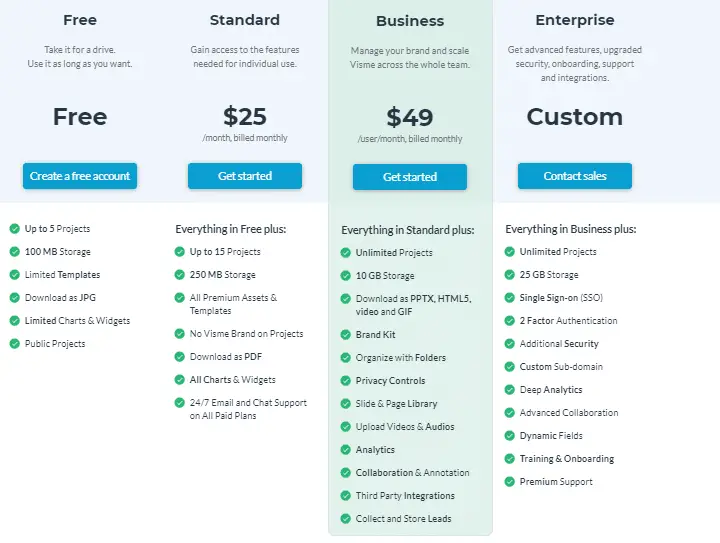
The features of these pricing plans vary. The higher the plan, the more features you have access to.
Visme offers a 40% for annual upfront subscription for any of the pricing plans.
2. Create Studio ( For Mac and Windows Operating System)
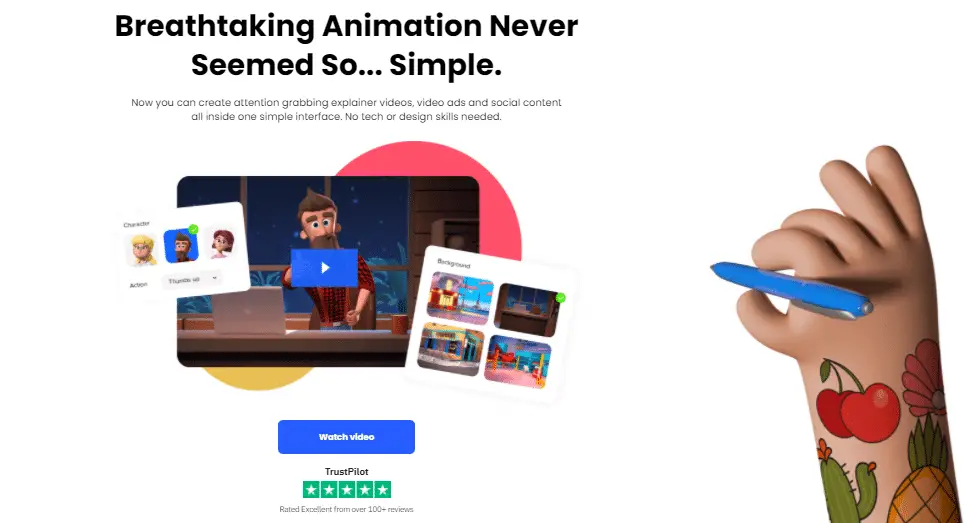
Create Studio is a robust software that has made the creation of animation easy for all. You can sketch videos, create doodles, type your text, and choose a suitable hand. You can use it to create video explainers for video advertisements targeted at driving sales for large businesses.
Create Studio recently launched a new dynamic camera movement that allows you to create cinematic and dynamic effects for your projects. With its complex motion, you can use custom animation to animate any element with a single click.
It gives you access to millions of stock photos, thanks to its integration with Pexel. Alternatively, you can also import your own images which you need in your workflow. Over 10,000 creators trust Create Studio for their animation and its review on TrustPilot is excellent.
Key features of Create Studio
- There is a drag and drop timeline editor which you can use to edit your video.
- You can create and export unlimited videos in any kind of resolution including 4k.
- Use the animation preset to animate any element.
- Build quality video scenes with the motion builder.
- Use animated emojis to create engaging and fun videos.
- Edit green and color from your animation using the green screen feature.
- Access various kinds of vector-based shapes from the library shape.
- If you’re concerned with advertisement and marketing, you can use the doodle video feature to create doodle text animation.
- Create Studio is compatible with SVG images which allows you to import and adjust SVG images and their colors.
- You can add borders and shadows and design elements to your layers to enhance their appearance.
Pricing
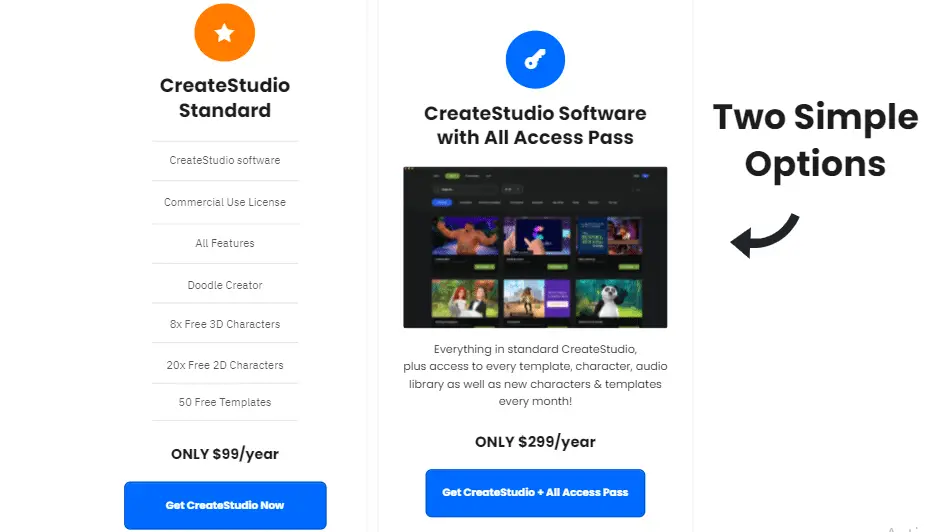
This animation software has two pricing plans:
- Create Studio Standard: $99/year
- Create Studio Software With All Access Pass: $299/year
3. Toonly (Animated Explainer Creation Software)
For Mac and PC
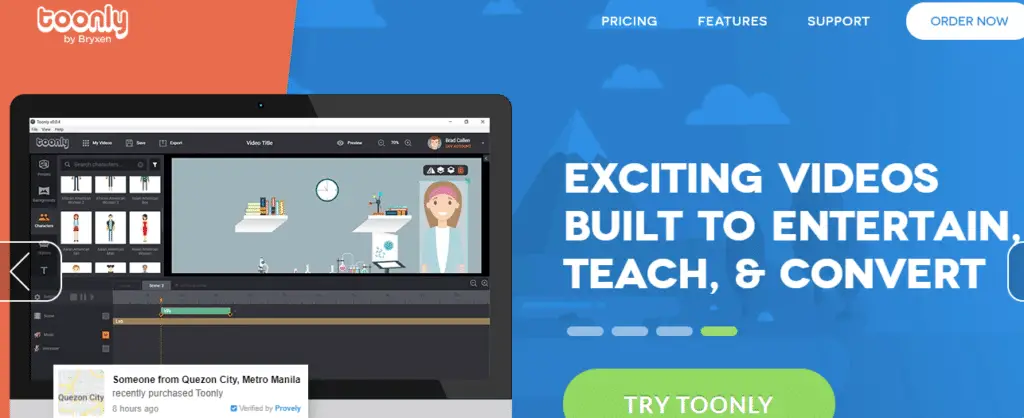
Toonly is an animation software that focuses on creating marketing videos. The attention span of customers today is short. They are being bombarded with a lot of marketing promotions.
That’s why Toonly was designed to help marketers create a video explainer that can capture the attention of potential customers and convert them into paying customers.
Using the features offered by Toonly you can come up with video explainers that users will find interesting, which is the first step to get them to take action on your offers. Its interface is easy to explore and interact with.
You don’t need to be tech-savvy. Working on this platform is by the use of the drag and drop editor. It’s supported for both Mac and PC devices.
If you’re confused with a process, there are demo videos to guide you all through.
Some of the key features of Toonly are:
- You can choose background music from tracks of royalty-free audio music by using the drag and drop editor.
- Toonly can be downloaded and installed on multiple computers.
- Export your custom animated explainer video in 4k, 1440p, 1080p, 720p, 480p or even custom resolution.
Pricing
Toonly has two different pricing plan:
- Standard: $39/month
- Enterprise: $69/month
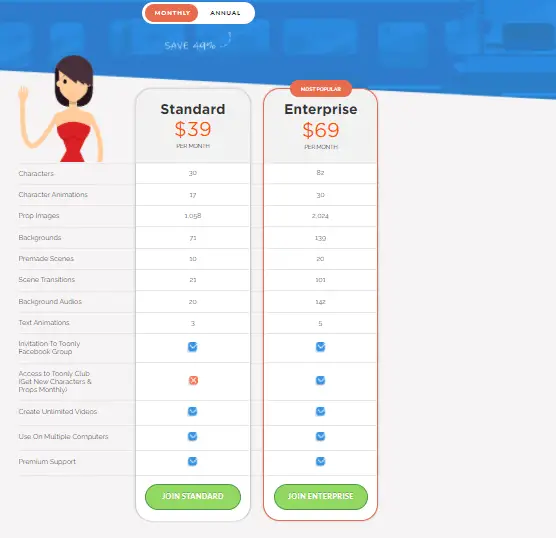
Note that the features of these pricing plans vary. The enterprise plan has more features.
Toonly gives you a 49% discount when you pay upfront for a year subscription. Within 30-days of using the software and you’re not okay with it, you can ask for a refund.
4.Animaker ( A robust software that allows create any kind of video)
Animaker is a leading brand in the world of videos and animation. Starting from the year 2014 when Raghav the founder was running it as a creative studio till now that it is a giant in the animation space, Animaker has been all about helping bring out creativity in individuals and businesses.
Any kind of video you want, be it business, marketing, explainer, presentation, cartoon, black Friday, text animation, logo animation, etc can be done with Animaker.
It’s unarguably one of the best animation software anyone could think of. It boasts of over 20 million video creators and 9 million users globally.
Its interface is beginner-friendly. No coding experience is needed. Every kind of video you want to create can be easily done with the simple drag and drop builder. Animaker gives you access to over 1000 templates and 10 million stock photos and videos.
To ensure that your videos are of the highest quality, it allows you to edit and upload videos at 4k resolution. You can resize your videos with a click so as to upload them on different social media platforms like Facebook, Instagram, Twitter, LinkedIn, etc.
Key features of Animaker
Character Builder: make the characters you want in your video unique with the character builder which has over 15 facial features. The character builder is customizable with 10+ accessory.
Smart Move: Getting animating objects to move from a point to another takes a lot of time. With the smart move feature, you can move your animating objects around with a click. This is a relief for animators who handle complex projects.
Auto Lip-Sync: This feature allows you to add voice-over to your characters and watch them say it. It saves you the time of animating your character’s lips.
Facial Expression: Create a different facial expression for your characters for different scenes to make the video lively.
Rich Video Editing Suite: This is a collection of tools you need to edit your 4K video to enhance quality. The tools available here are: Subtitle your videos, overlay videos with a click, and watermark your content.
Pricing
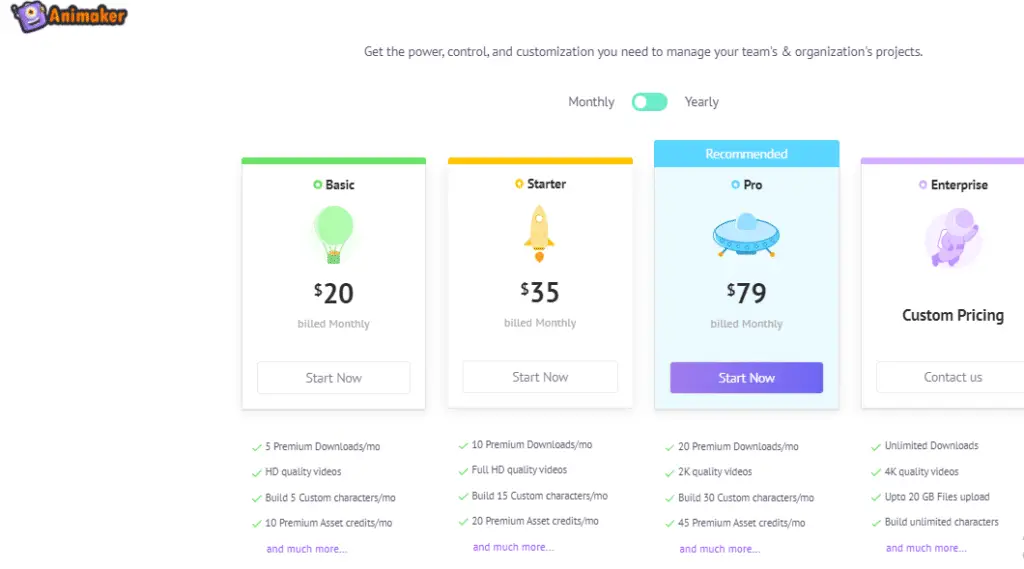
Animaker has 4 different pricing plans:
- Basic: $10/month
- Starter: $19/month
- Pro: $39/month
- Enterprise: Custom pricing – contact the sales team.
5.Vyond (Formerly Go Animate)
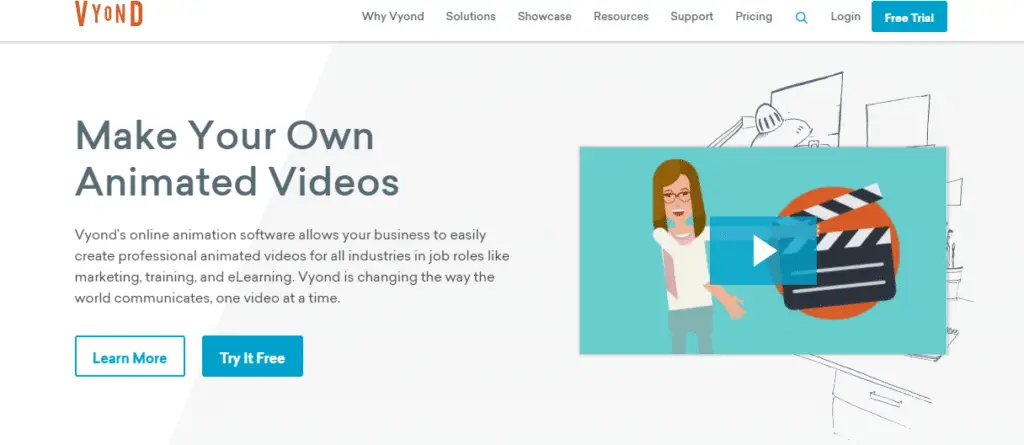
Video creators trust Vyond as one of the best animation software. Over 12 million users including small businesses, organizations, and individuals have used Vyond to create quality and cost-effective videos since 2007 when it was first created as Go Animate.
Its user interface is simple that a beginner to animation can create quality videos without hitches. You can access its library templates to make a choice base on the kind of video you want to create.
Get your team on board with the collaboration tool which makes it easy for you to brainstorm and exchange ideas on how to perfect different scenes of a video. You don’t have to bother about the security and privacy of your content.
Vyond maintains video creation industry security standards at all times. Large organizations who use videos especially complex ones to drive marketing goals can leverage the Vyond Studio to make compelling videos that will engage their target audience.
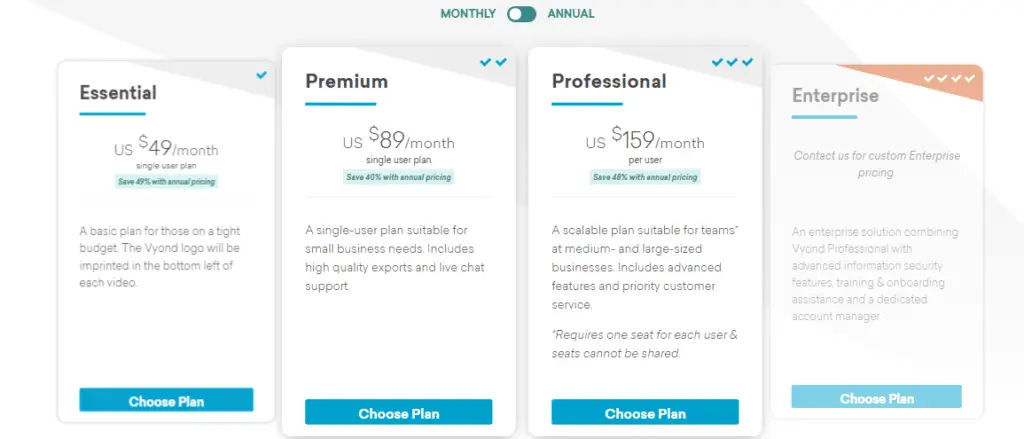
Vyond’s pricing plans are of four types:
- Essential: $49/month
- Premium: $89/month
- Professional: $159/User/month
- Enterprise: Contact the sales team for custom pricing
6.Doodly ( Best for creating white, black, glass board animation )
Available for Mac and PC
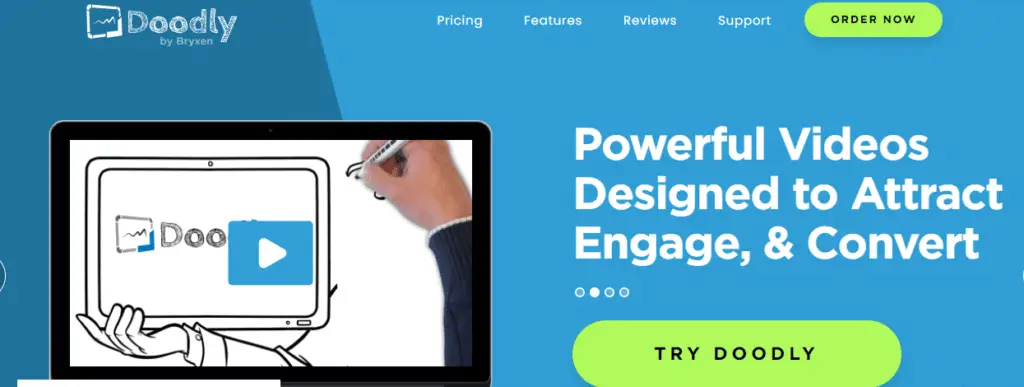
Doodly is the best animation software you need if you want to create professional doodly videos. You don’t need coding skills to use this software.
Dooly brings out the creativity in you by allowing you to draw all kinds of images to educate, entertain, and inform your target audience.
You can create as much as a whiteboard, greenboard, glassboard, blackboard doodle videos as you want for social media, business advert, app demo video, etc.
You may be thinking that it will be difficult since it involves drawing. Hey, it’s not what you think. When you select a doodle image, tap on it and drag it to the canvas and watch the Doodly draw the image for you. That’s it.
Some key features of Doodly
- Unlimited install of Doodly in many computers as possible. No limitation.
- Weekly update to allow you to enjoy the latest features and enhanced user experience.
- You can export video in different resolutions both high and low. There’s an option to customize the resolution you want.
- Doodly gives you access to royalty-free music which you can drag and drop as your background music.
- Record your custom voice-over and sync directly to your Doodly sketch.
Pricing
Doodly has two pricing plans:
- Standard: $39/month
- Enterprise: 69/month
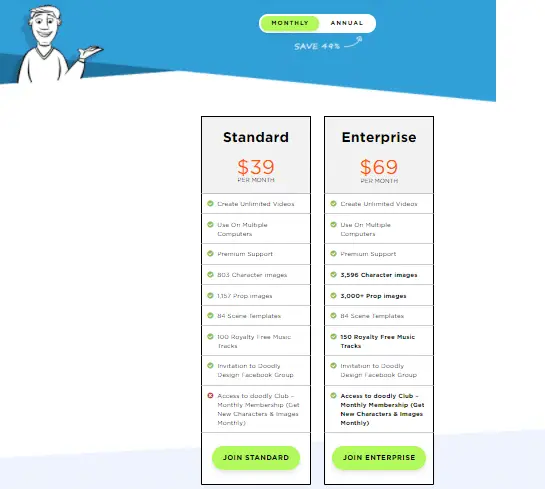
Doodly offers you a 49% discount if you subscribe to a plan 12 months upfront.
You can ask for a refund within 30days of using the software and didn’t find it useful
7. Doodle Maker ( For white, black, green, glass boards animation)
Available for Mac and PC
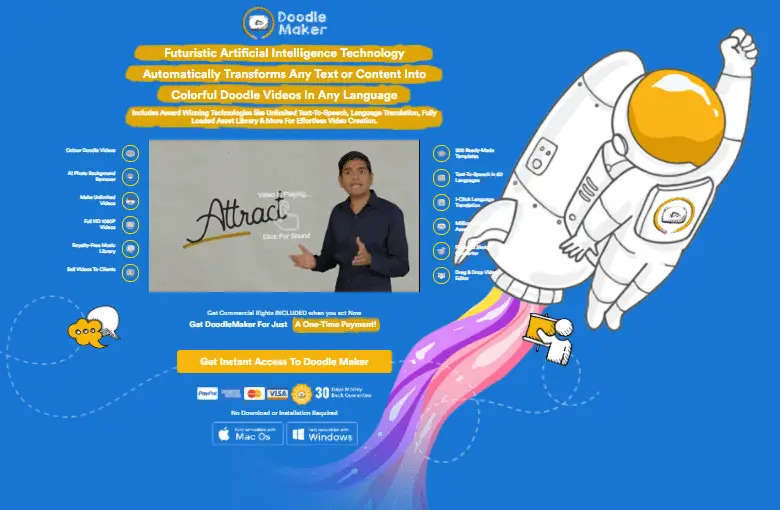
Paul Ponna an award-winning tech entrepreneur founded this software. You can create animated whiteboard, greenboard, and glassboard videos using Doodle Maker. Artificial intelligence powers it which makes it easy for you to create more animated videos in less time.
You can set your preferred theme in black or white or even full color and choose from over 300 already built templates from your video. Alternatively, you can decide to build your own template from scratch.
Doodly Maker made it possible for you to create a multilingual video with its feature that can translate any video into 60 different languages.
Currently, there are over 500,000 creators who use Doodle Maker. Some of them are YouTubers, Bloggers, Affiliate marketers, small and large companies.